Know what brings people in.
And what they do next.
Insights is one page in your Studio. It shows how many people visited your Nook, how they found you, which town they were in and what they tapped. Then it shows the bookings, orders and messages that followed. It counts visits, and it never says who anyone is.
Craft your NookWatch the guide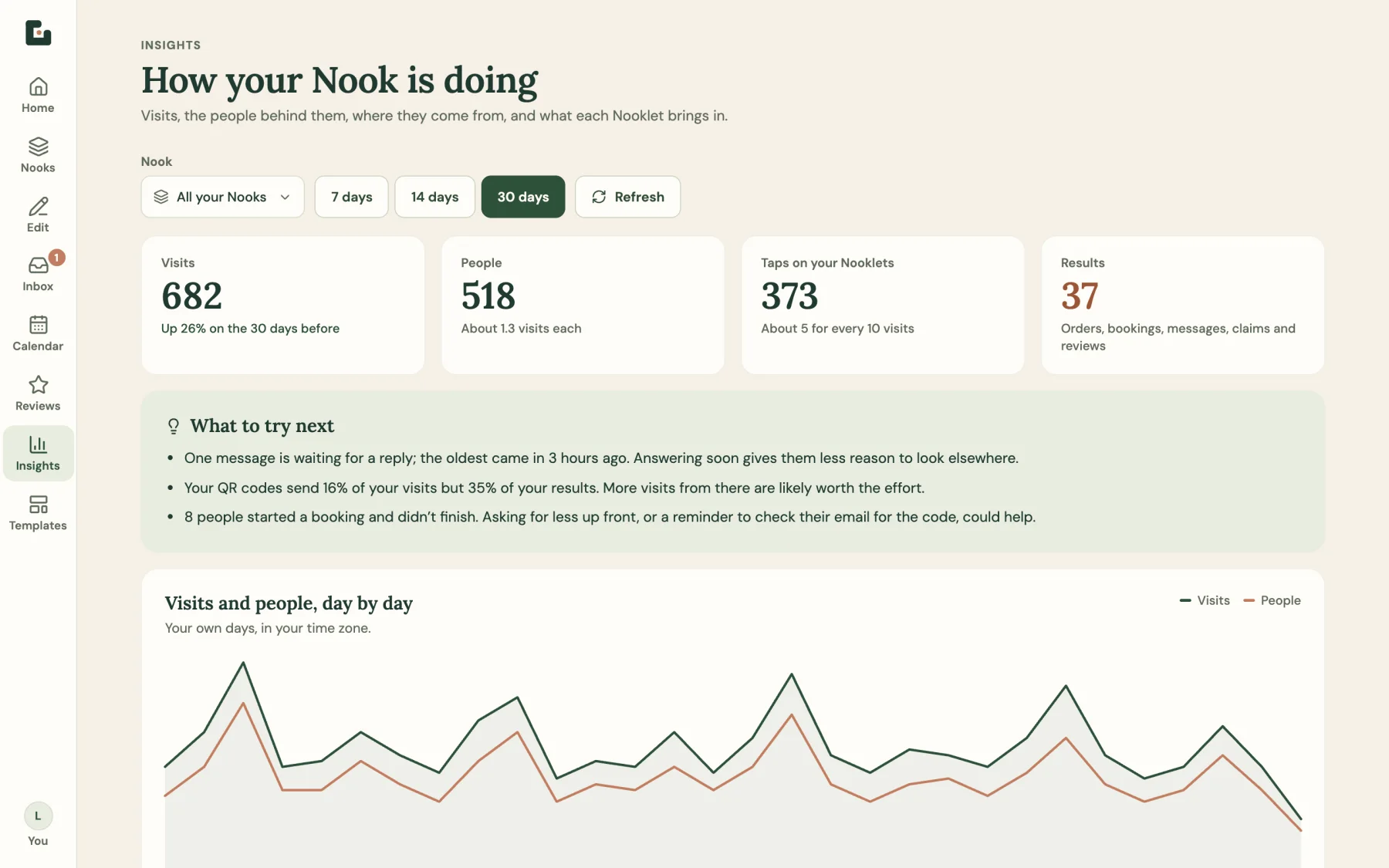
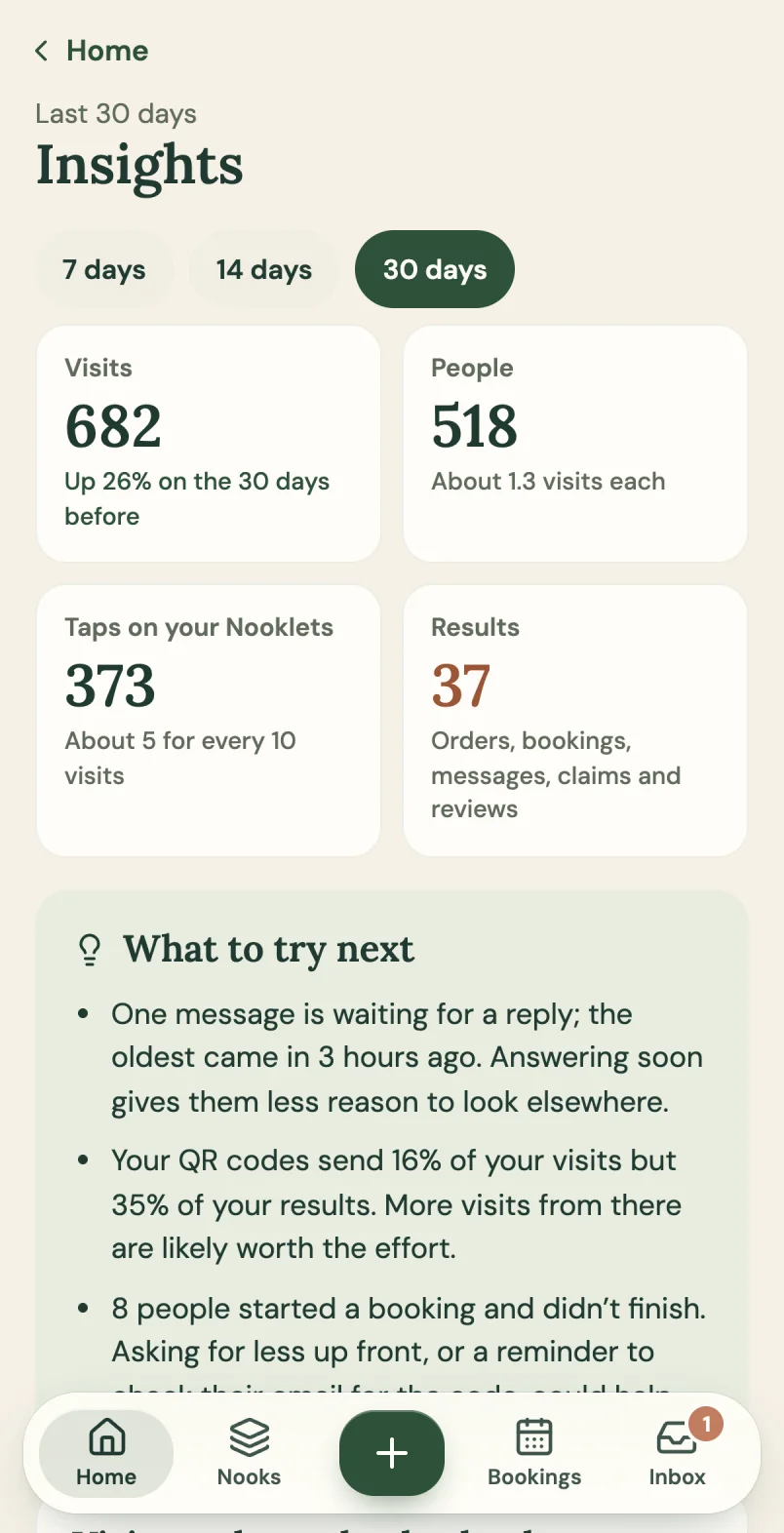
The real Insights page, on a laptop and a phone. Bramble & Bath is a made-up mobile dog groomer, and every number on this page is an example.
Eight questions.
One page of answers.
Pick a question. The phone shows the part of the real page that answers it.
 Insights, in your StudioSAMPLE NUMBERS
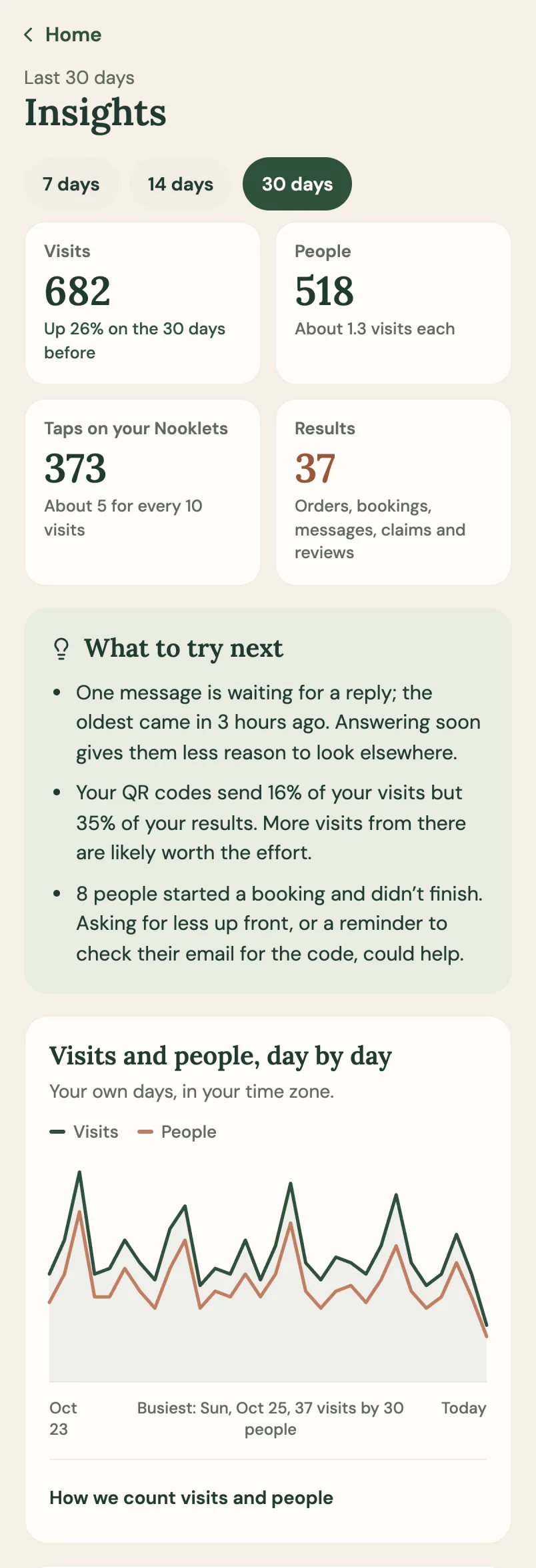
Visits, and the people behind them.
Each time someone opens your Nook is a visit. People counts the different visitors on each day. Your own previews never count, and search crawlers and link previews are left out.
Name each place.
See what it brings.
A QR code on the van, a card in a wallet, a link in your Instagram bio. Give each one a name once, and Insights keeps count for you.
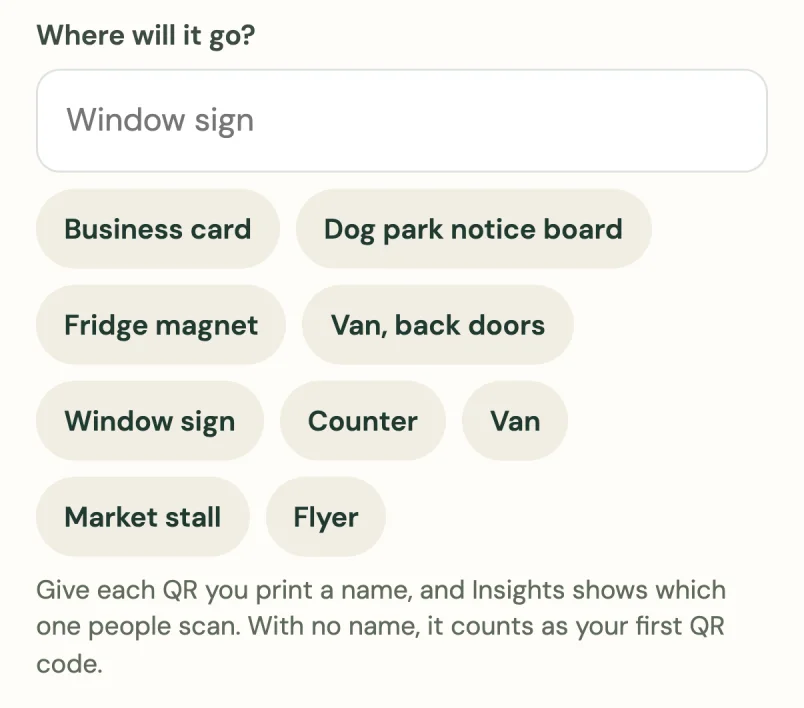
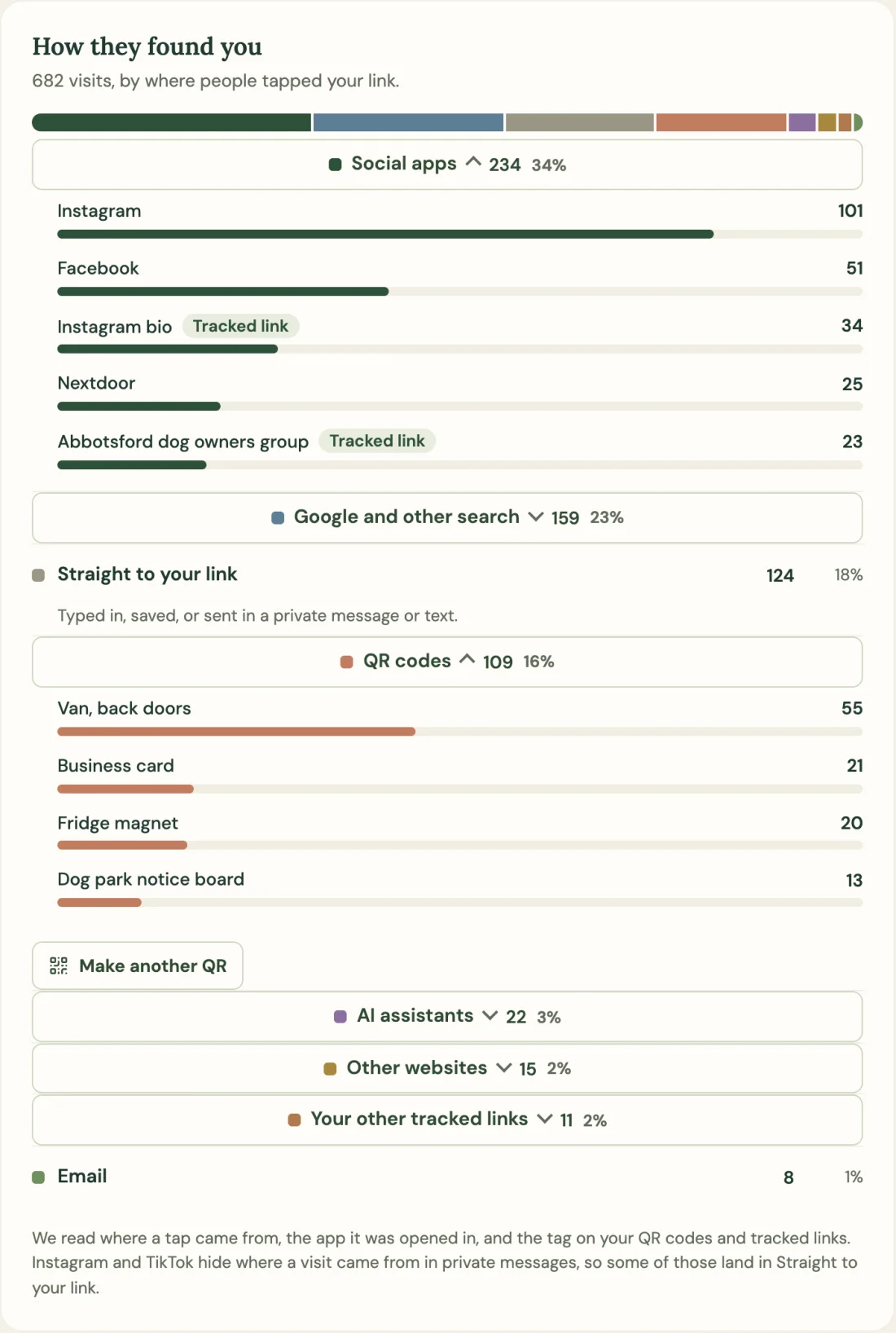
Name each place. When you print a QR code, say where it will go: the van, a business card, a fridge magnet. For links you share online, make a tracked link for each place.
Numbers, then
something to try.
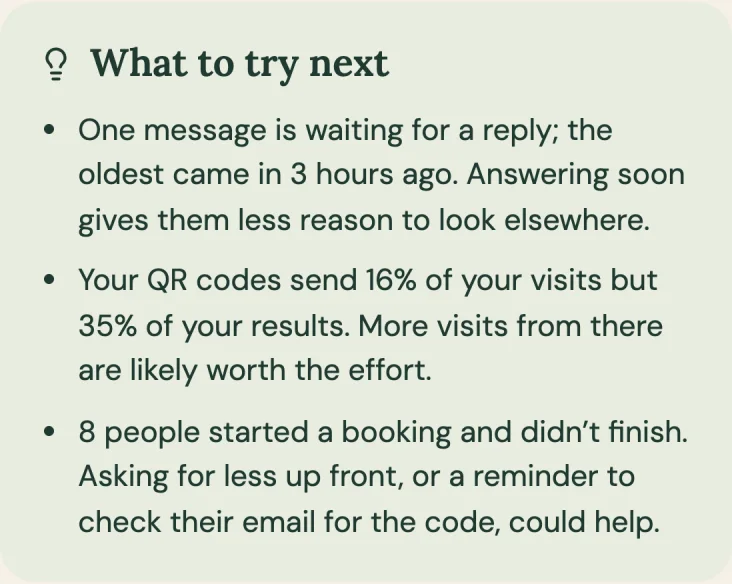
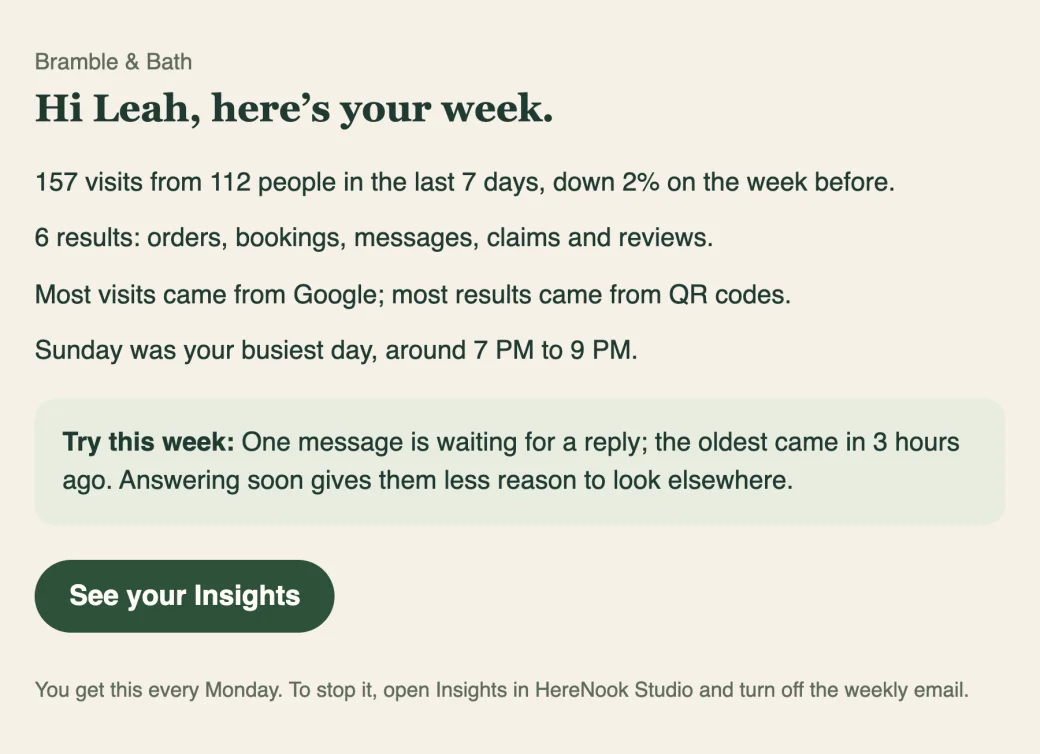
Insights works out up to three things to try from your own numbers. Every Monday morning it sends you the week by email, with one of them.
The whole page,
in a minute and a half.
Guide 20 walks down Insights from top to bottom, on a phone and a laptop.
A useful picture.
Nobody is followed.
Insights is built to help you decide what to do next. It is not a way to watch people.
Visits and scans are different.A QR scan is one way to arrive. A visit can also start with a shared link, a search or a tap in an app.
A click shows interest.A tap on a link that leaves your Nook doesn’t prove a booking or a sale somewhere else. Results count only what reaches you through your Nook.
A useful picture, not a personal profile.People are counted with a one-way code that is thrown away at midnight. No IP addresses and no cookies are kept, and the number of people is an estimate.
- Visits and people, day by day
- How people found you, with each QR code by name
- Every town they came from
- Your busiest day and hours
- Up to three things to try
- Your week by email, every Monday
- What each Nooklet brought in
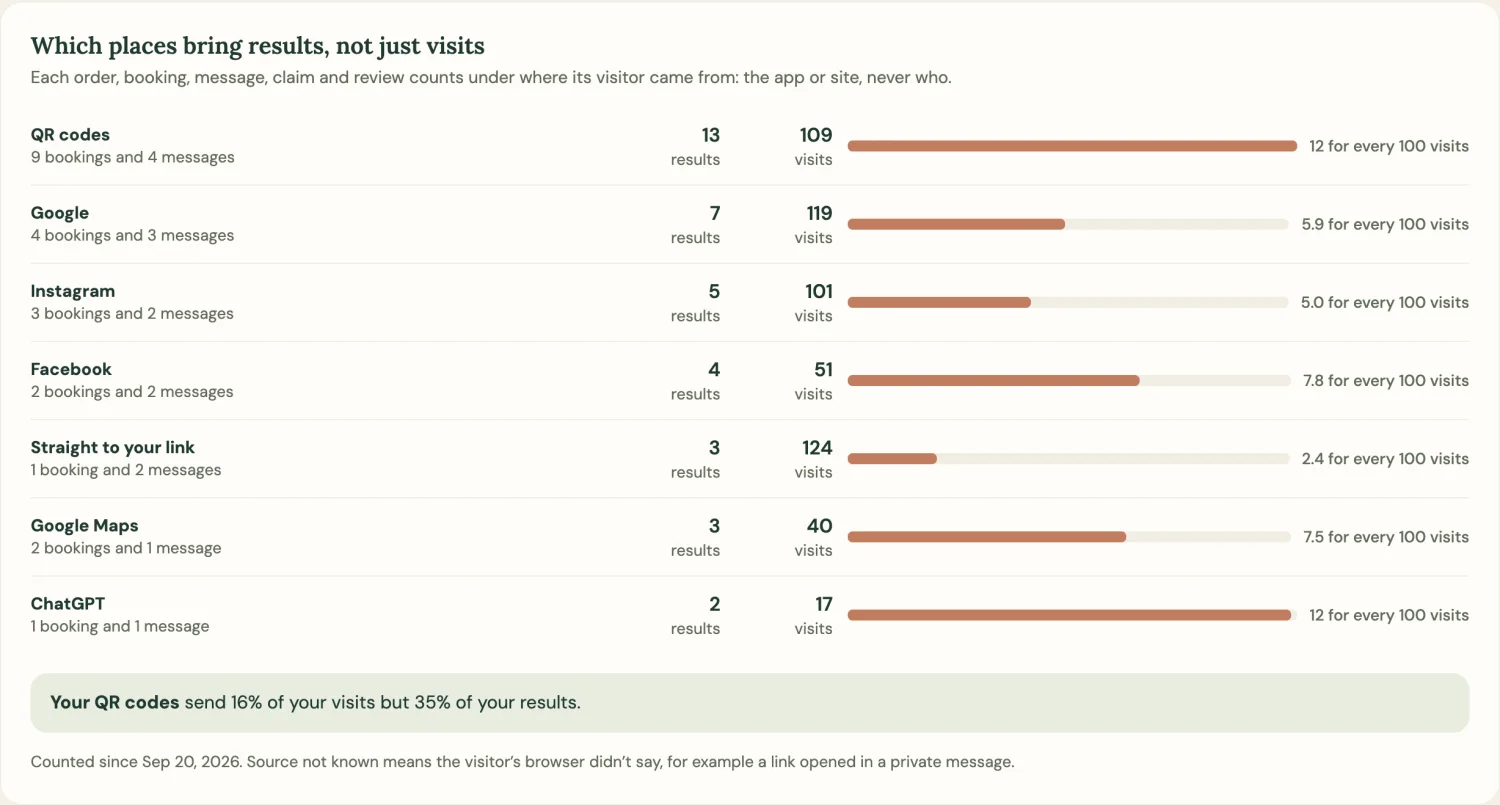
- Which places bring results
- How fast you reply
- Missed chances
- Tracked links for each place you share
Watch it.
Then get found.
Insights has more to show when more people can find you. These two guides cover both.
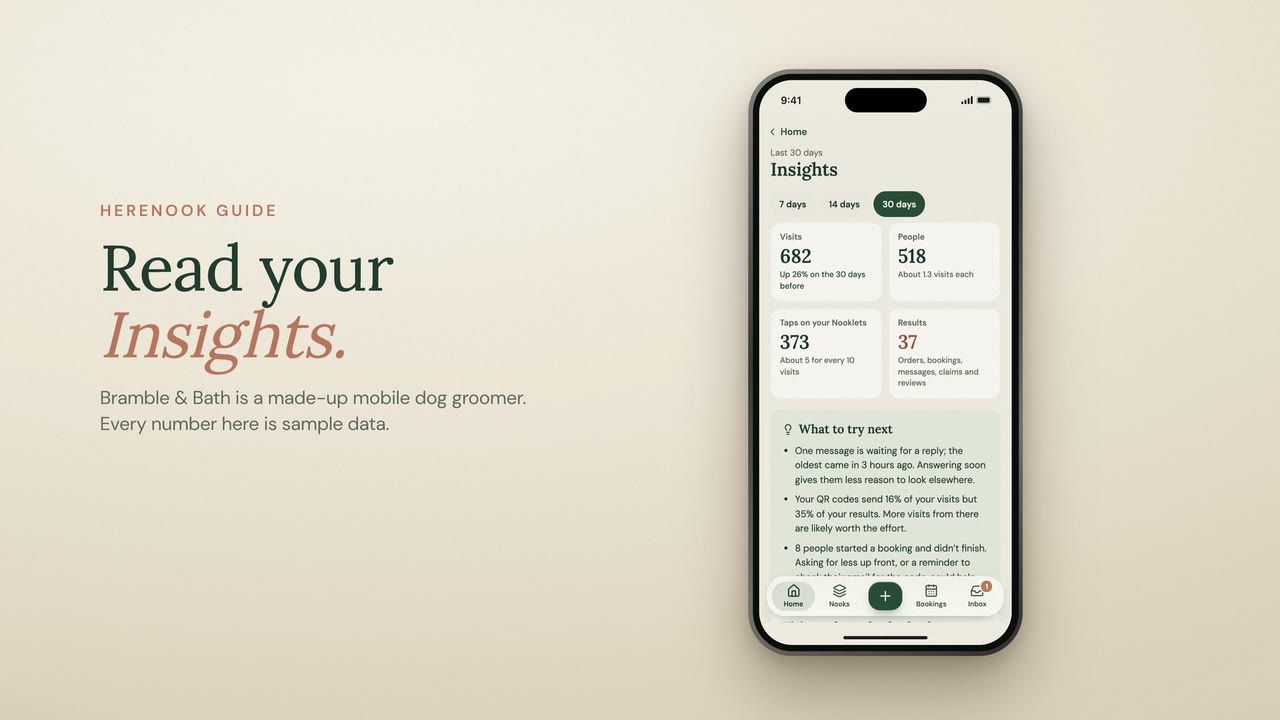 GUIDE 20 · 1:35Read your InsightsEvery part of the Insights page, from the top down.Watch the film
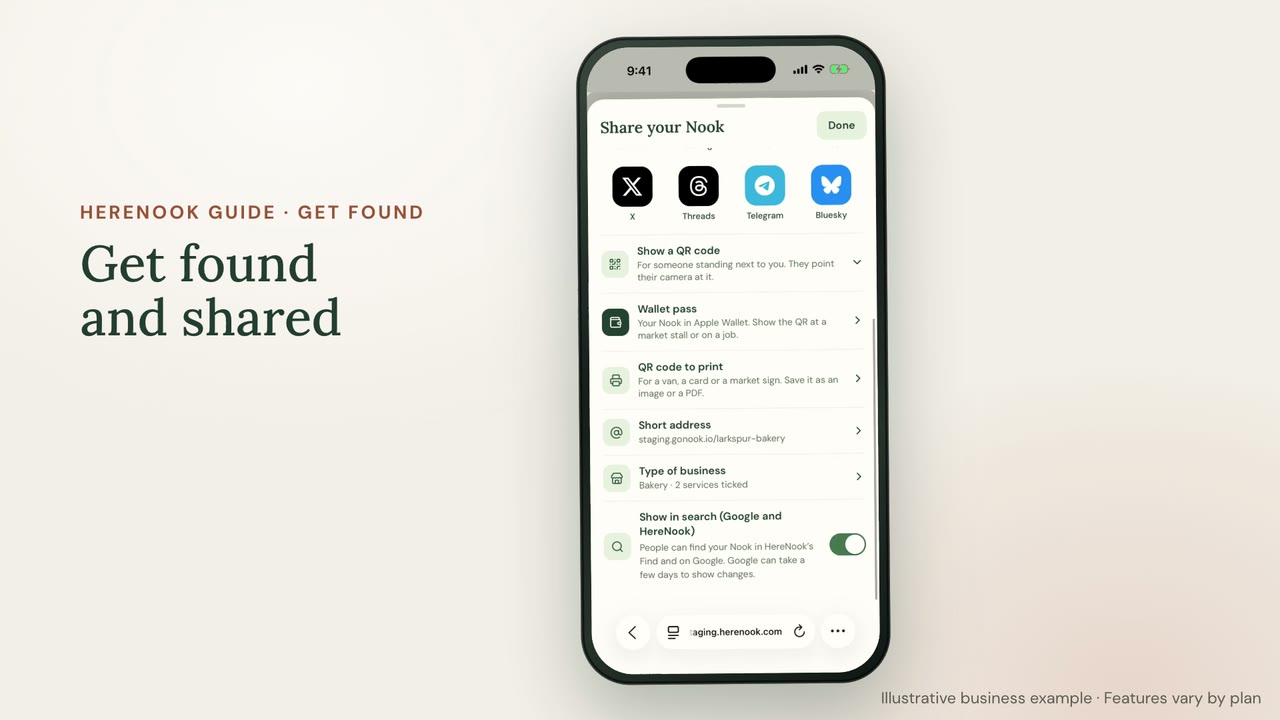 GUIDE 09 · 1:25Get found and sharedYour address, a QR code for each place, and showing up on Google.Watch the filmPLANSWhat comes with each planThe first two are on Free. What each Nooklet brings in comes with The Essentials.Find your plan